APPLY
You have a recipe (the list of changes) and a file you want to change. APPLY does it, and proves it worked.
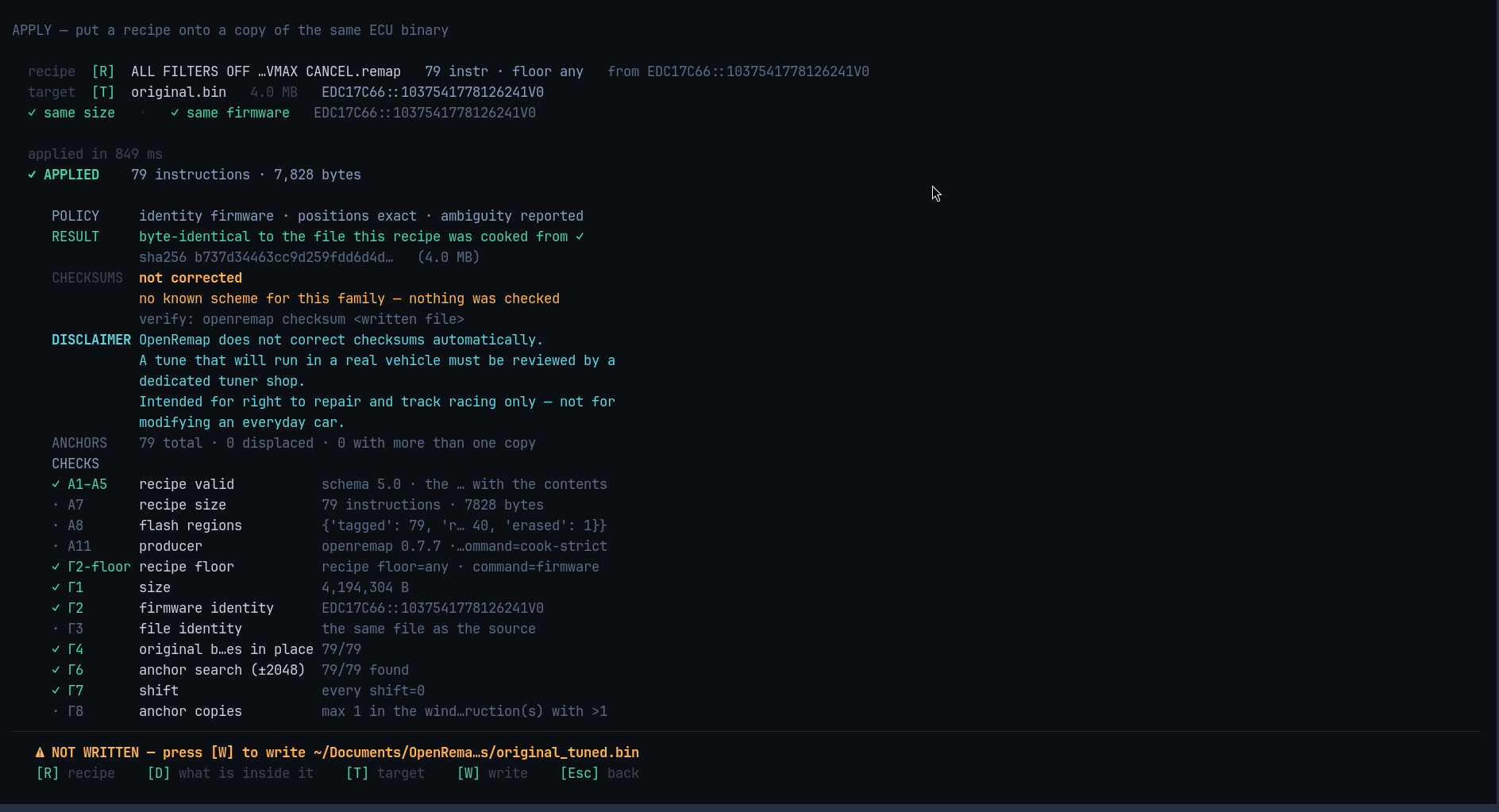
Reading the result
| Line | Meaning |
|---|---|
✓ APPLIED |
how many changes went in, how many bytes were written |
POLICY |
what this run insisted on before writing |
RESULT |
the patched file is byte-identical to the file the recipe was made from |
CHECKSUMS |
whether the result's check numbers are valid — usually not corrected |
DISCLAIMER |
the standing warning, always shown |
CHECKS |
every check it ran, with a short rule id, pass or fail |
⚠ NOT WRITTEN |
the result is in memory only, and where it would be saved |
The CHECKSUMS block is the one to read before flashing anything:
CHECKSUMS   not corrected
            no known scheme for this family — nothing was checked
            verify with  openremap checksum <written file>
OpenRemap never rewrites a checksum. If it says skip, nobody checked — you still
need a tool to fix the checksum, and a tuner to review the file.
What is inside the recipe
Press D to see the recipe itself, instruction by instruction:
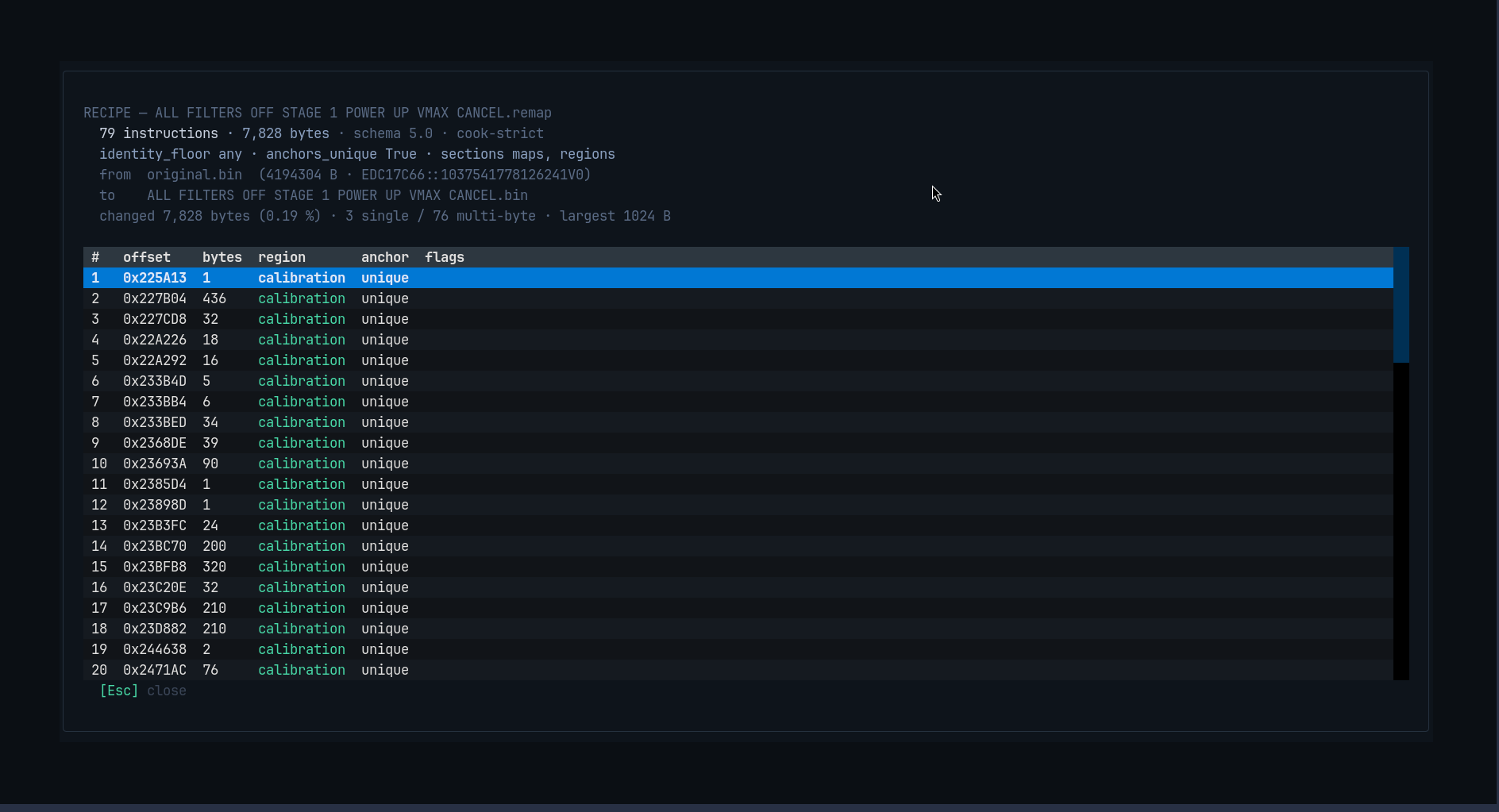
Every row is one change: where it is (offset), how many bytes, which part of the
file it is in (region), whether its position could be pinned down uniquely
(anchor), and any flags. This is the same file you could open in a text editor.
Keys
| Key | What it does |
|---|---|
R |
choose the recipe |
T |
choose the target file |
Enter |
apply |
D |
show the recipe's list of changes |
W |
write the patched file into tunes/ |
Esc |
back to HOME |
If it refuses
A refusal is a normal answer, not a crash. It names the rule that stopped it, and then — sometimes — offers a looser way:
| If it refused because… | It offers | What you give up |
|---|---|---|
| the files are not the same software | U |
the safety of that check |
| a change sits at a slightly different place | S |
exact positioning |
| a change is ambiguous | A |
both of the above |
If no looser option can help — wrong size, wrong file, already patched — it says so plainly and offers nothing. There is no "force" flag anywhere in this tool: you pick a command, and the command is the policy.
Writing the result
⚠ NOT WRITTEN — press [W] to write ~/Documents/OpenRemap/tunes/original_tuned.bin
Your input file is never overwritten. The new file is a separate copy, written only
when you press W.