PICKER
Every F key in the app opens this window. It is part of the app, not a system
dialog: nothing else pops up, and it works over SSH where there is no desktop at
all.
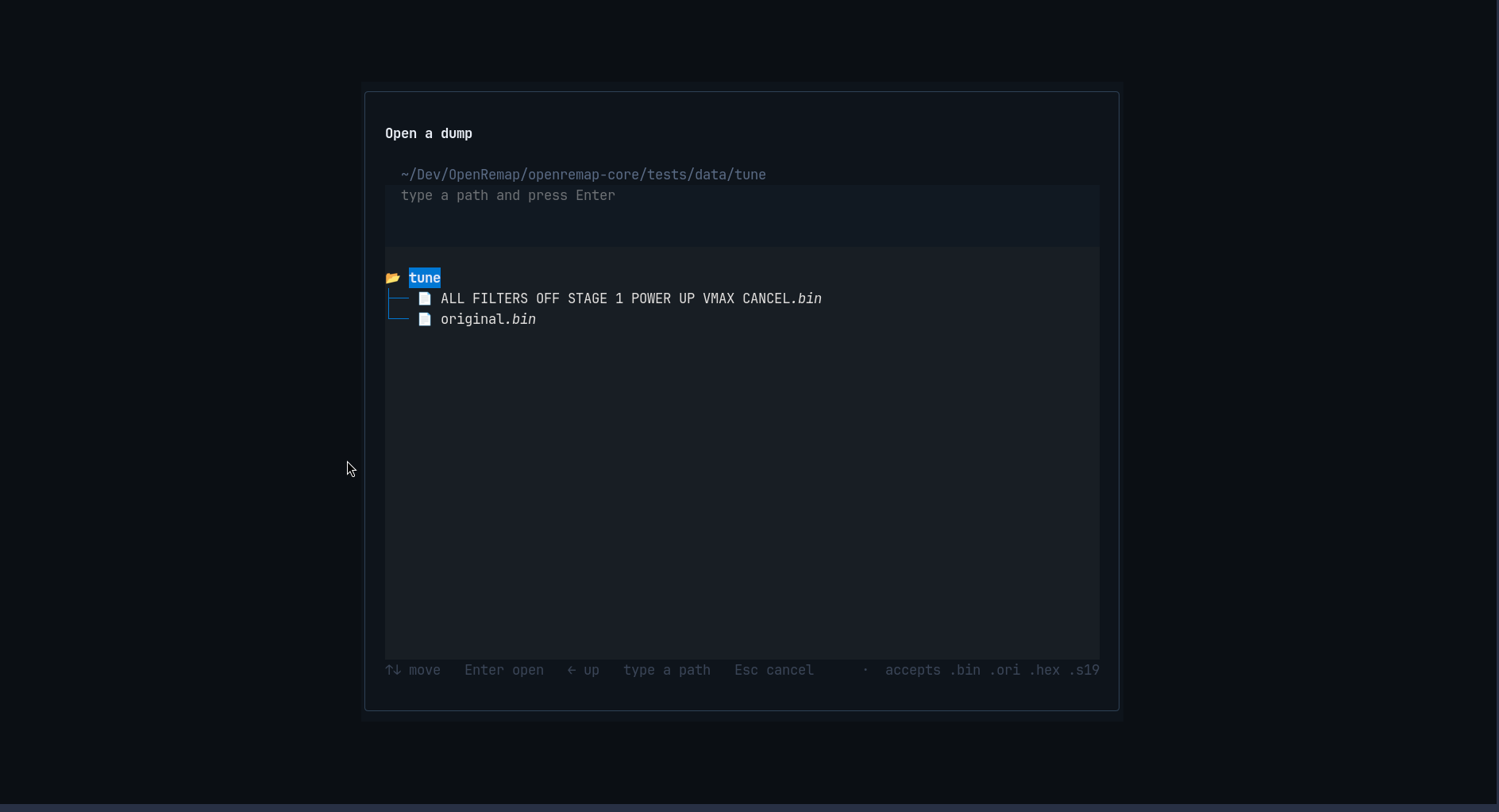
What you see
| Part | Meaning |
|---|---|
| title | what this picker is for — here Open a dump (a folder picker says something else) |
| path line | the folder you are in, e.g. ~/Dev/OpenRemap/…/tests/data/tune |
| hint | type a path and press Enter — you can paste a full path instead of clicking |
| the list | folders (with a folder icon) and files; the highlighted row is where Enter acts |
| bottom bar | the keys, and on the right the types this picker accepts: accepts .bin .ori .hex .s17 |
Only file types the screen can actually use are listed, so you cannot pick something it will reject later.
Keys
| Key | What it does |
|---|---|
↑ ↓ |
move through the list |
Enter |
open a folder, or choose the highlighted file |
← |
up one level |
| typing | goes into the path field, so you can paste a path |
Space |
choose the highlighted folder — only when the screen asked for a folder |
Esc |
cancel and go back |
Where it opens
Where you last chose a file; failing that the app's own ecus/ folder, then
Downloads, then your home folder. A picker that only shows the app's own folder
would be useless on a fresh install, where that folder is empty.
It never fails silently
| What you did | What it says |
|---|---|
| typed a folder that does not exist | no such folder: …, and the picker stays open |
| chose a file the screen cannot use | names the file and the types it wanted |
On Windows the drives are listed at the top and can be typed into the path field
(D: becomes D:\), because a folder tree cannot climb out of a drive on its own.
On Linux and macOS that row does not exist, since drives are not a concept there.