HOME
Press Enter on the boot screen and you arrive here. One question: what do you
want to do with a file?
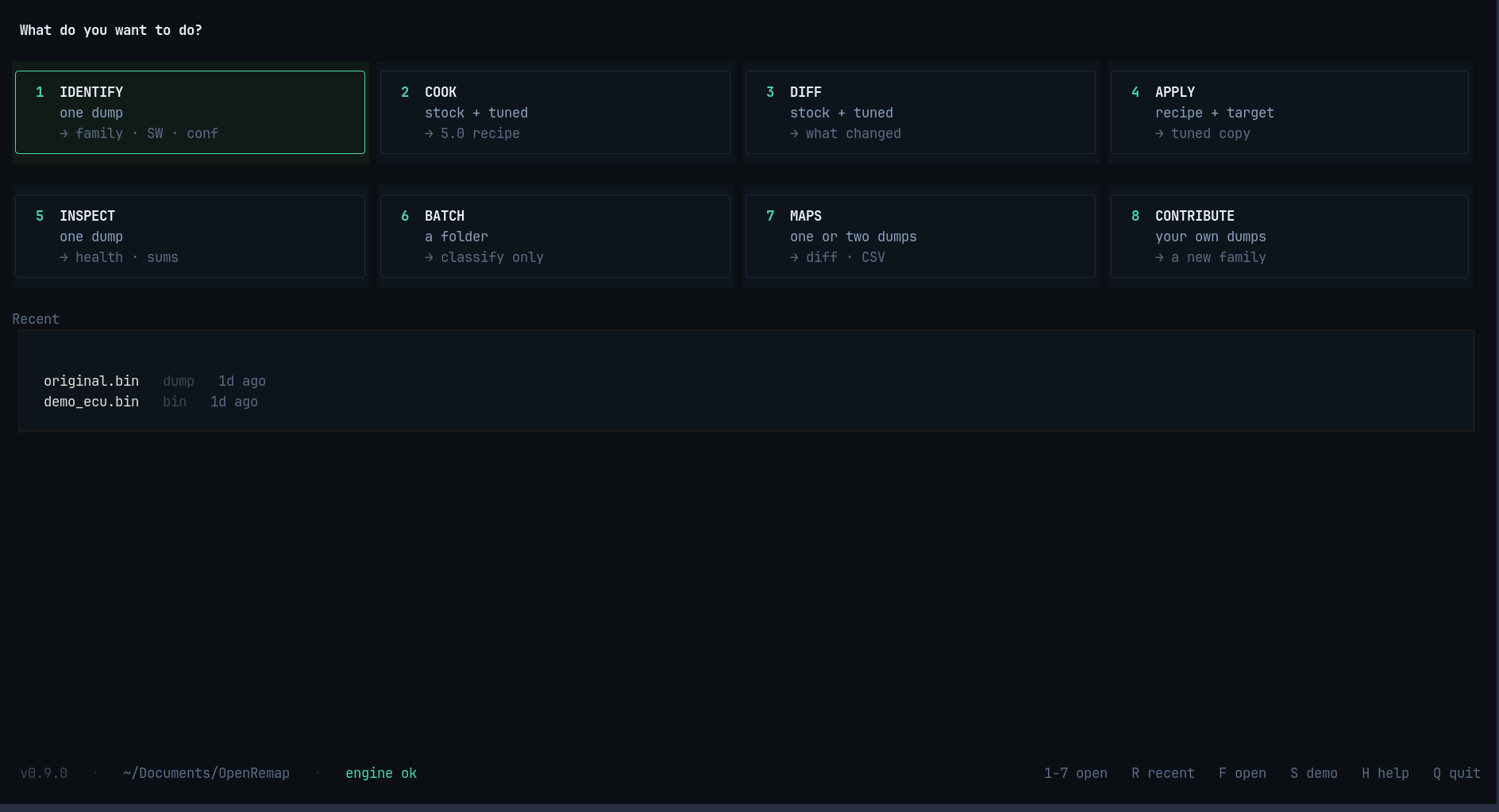
The eight cards
| Key | Card | It needs | You get |
|---|---|---|---|
1 |
IDENTIFY | one file | what the file is |
2 |
COOK | two files (stock and tuned) | a recipe |
3 |
DIFF | two files | what changed |
4 |
APPLY | a recipe and a file | a patched copy |
5 |
INSPECT | one file | health and checksums |
6 |
BATCH | a folder | a list of what is inside |
7 |
MAPS | one file | its tuning tables |
8 |
CONTRIBUTE | your own files | a contribution for a new ECU |
Each card also says what it produces, so you can see at a glance which one you need. The card with the green border is the one your arrow keys are on.
The Recent list
Under the cards: the files this app used last, with how long ago.
original.bin     dump      1d ago
demo_ecu.bin     bin       1d ago
Press R to move into the list, ↑ ↓ to choose, Enter to open the file in
the right screen — IDENTIFY for a file, APPLY if it is a recipe, BATCH if it is a
folder. D empties the list; it never deletes a file.
Keys
| Key | What it does |
|---|---|
1–8 |
open that card |
R |
jump into the Recent list |
↑ ↓ Enter |
choose and open, inside Recent |
D or Delete |
clear the Recent list |
F |
open a file directly |
S |
make a demo file, for when you have none yet |
H or ? |
help |
Q |
quit |
The bottom bar changes with the focus: on the cards it offers the numbers, inside Recent it offers the list keys.
The bottom line
v0.9.0 · ~/Documents/OpenRemap · engine ok
Three facts: the version, the folder results are saved in, and whether the fast
native engine is loaded. engine ok in green means everything is working.