MAPS
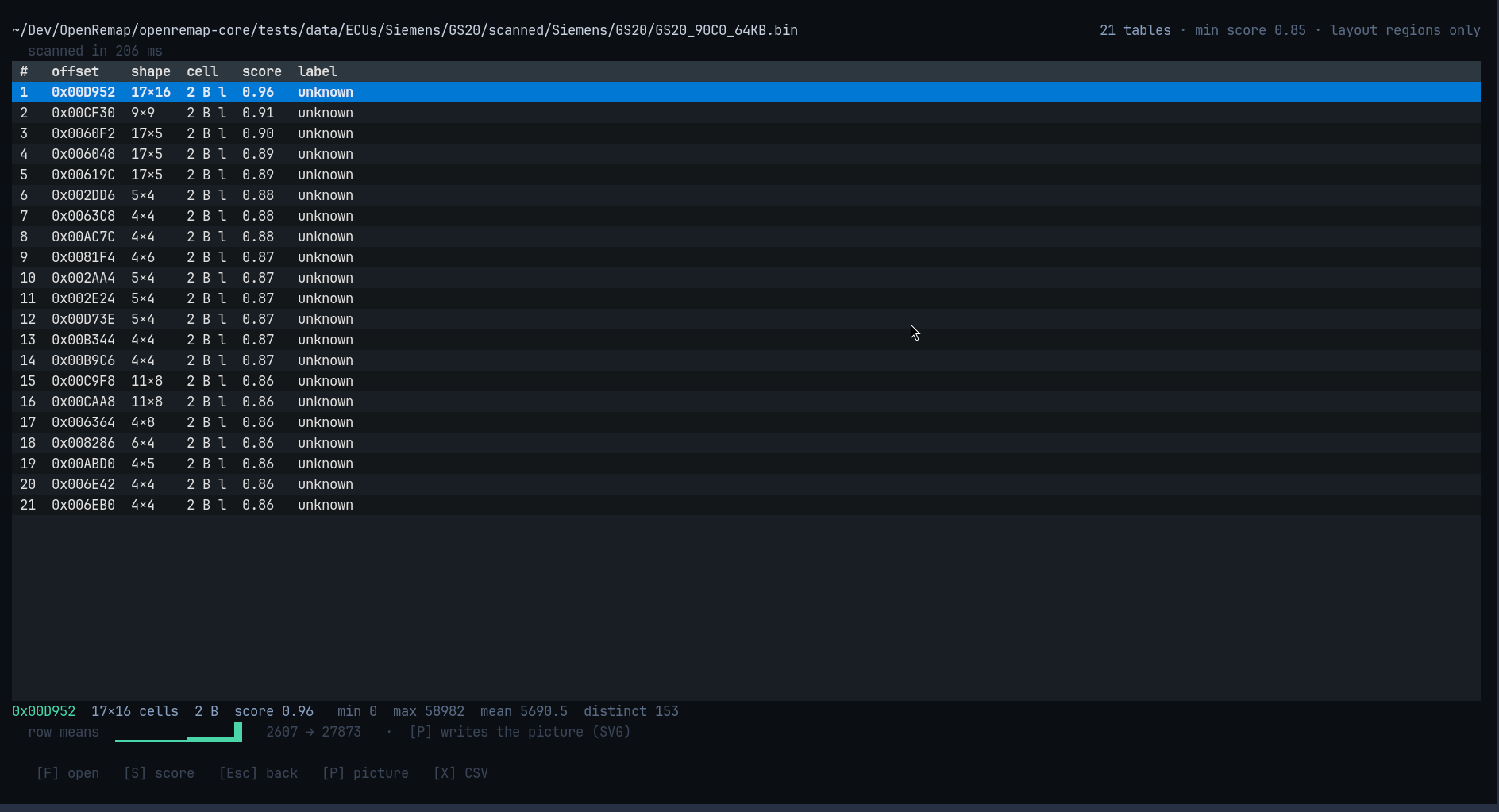
A map (or table) is a grid of numbers in the file: fuel, boost, ignition timing and so on. This screen finds them and lets you look at one.
Reading the list
Each row is one table:
| Column | Meaning |
|---|---|
# |
row number, for your own reference |
offset |
where the table starts in the file, e.g. 0x00D952 |
shape |
rows × columns, e.g. 17×16 |
cell |
how many bytes each number takes (usually 2) |
score |
how table-like it looks (0 to 1) |
label |
a guess about what it is — or unknown, which is a normal answer |
The line under the list describes the table you have selected, measured from the
file itself: smallest and largest value, average, how many different values, and a
green row means bar that shows the shape at a glance.
The picture
Press P and the selected table is written to disk as an SVG picture — colours
for the values, the real axis numbers read from the file, and a scale. It opens in
any browser or image viewer.
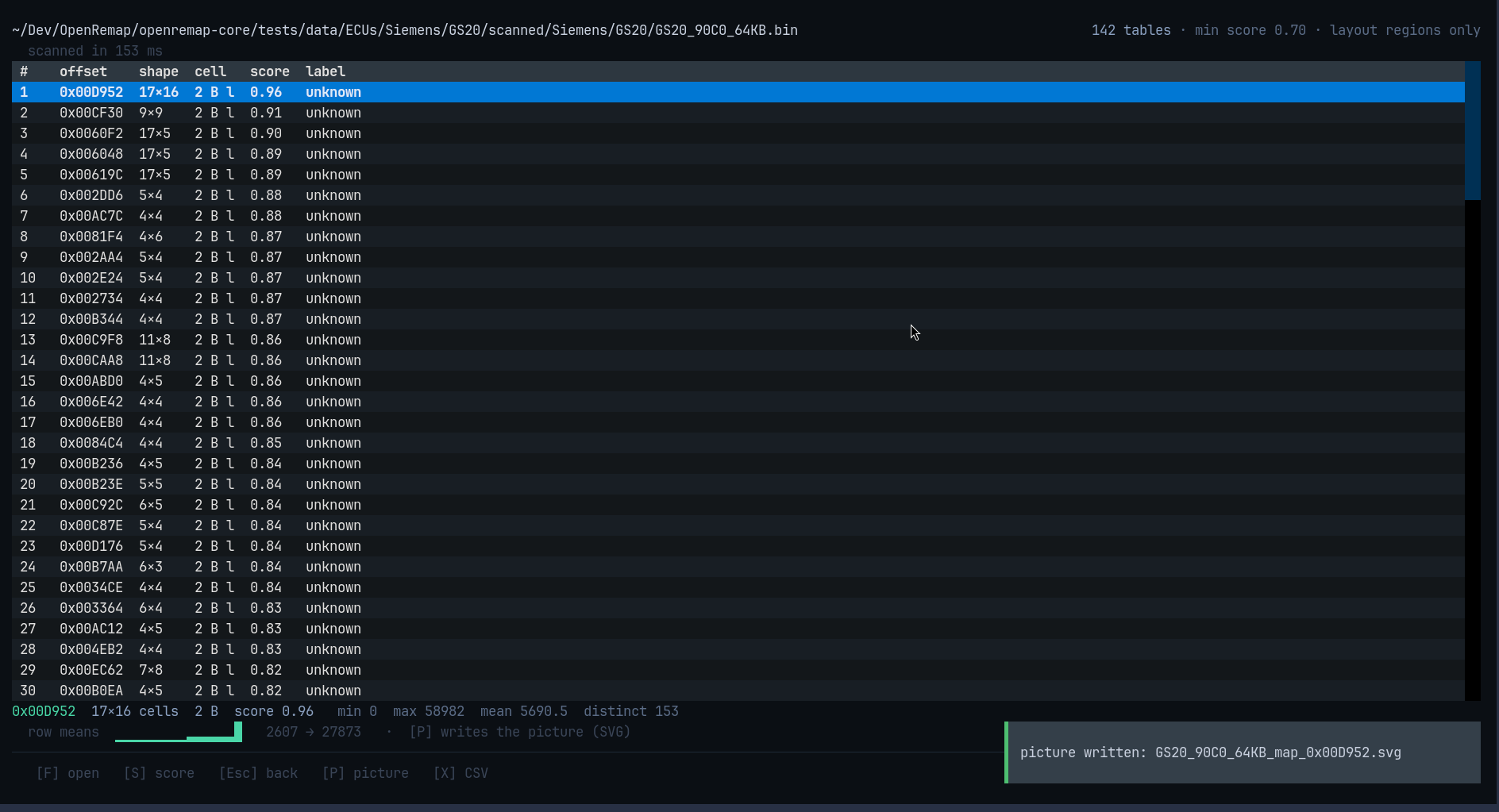
The green line at the bottom right confirms it: picture written: GS20_90C0_64KB_map_0x00D952.svg.
Why a picture file instead of drawing it here
A terminal has no pixels. A map painted in characters depends on your font, your colours and your window shape — it can look wrong while claiming to be data. A file cannot: everyone sees the same picture.
Keys
| Key | What it does |
|---|---|
F |
open a file |
S |
show fewer tables per press: 0.85 → 0.70 → 0.55 → 0.00 |
P |
write the selected table as an SVG picture |
X |
write the list of tables as a CSV file |
↑ ↓ |
move up and down the list |
Esc |
back to HOME |
In the second screenshot S had been pressed once — min score 0.70 — so 142
tables are shown instead of 21.
What it does not claim
- A label is a guess, and
unknownis honest. - A score is not a probability; it only means the shape looks like a table.
- No row claims to be "the torque limiter" — the tool does not know that.